Upstairs in one tap
Save the rooms you call together as a group and pick them all with one tap. The card above the mic shows who will hear you, with the volume right there for bedtime.
Intercom for Sonos speakers
Hold the mic, say “Dinner’s ready!” and let go. It plays on the Sonos speakers in the rooms you picked, and the music comes back by itself.

Free. Every feature included, no Pro version.
For iPhone and iPad with iOS 26 and Macs with Apple silicon. Tested with Sonos S2.
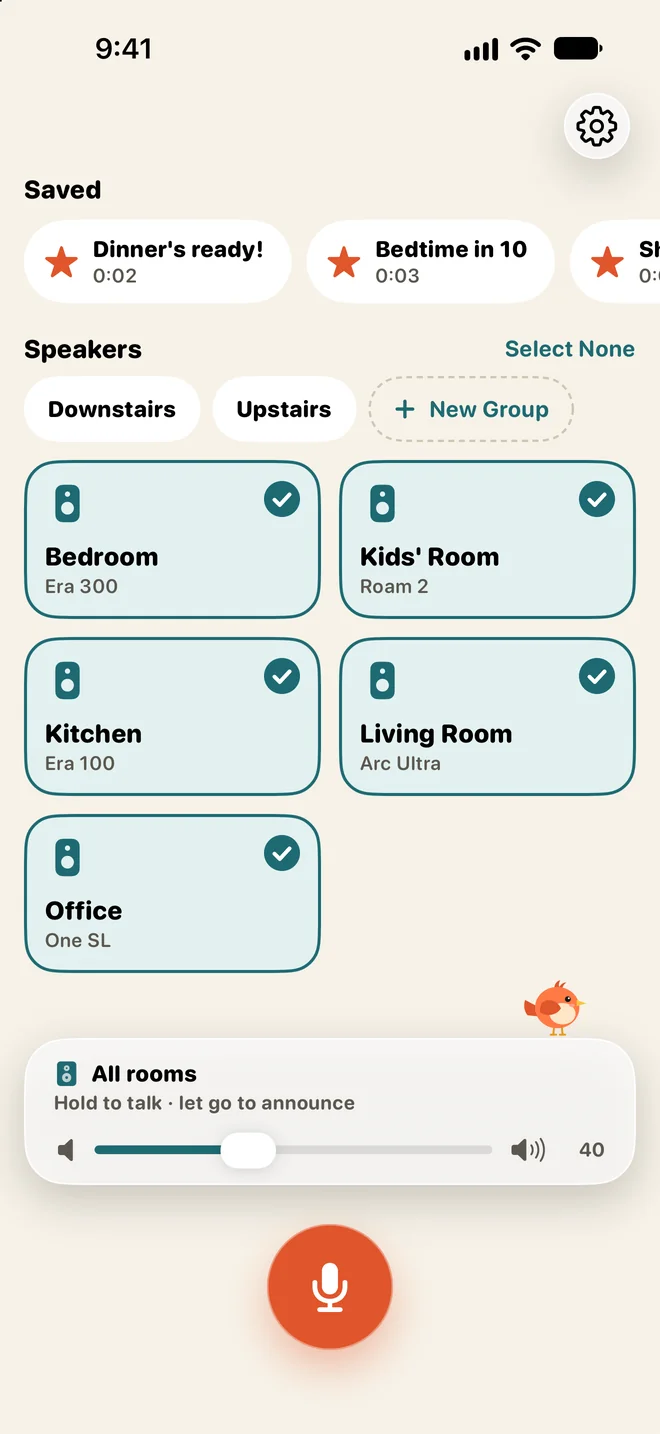
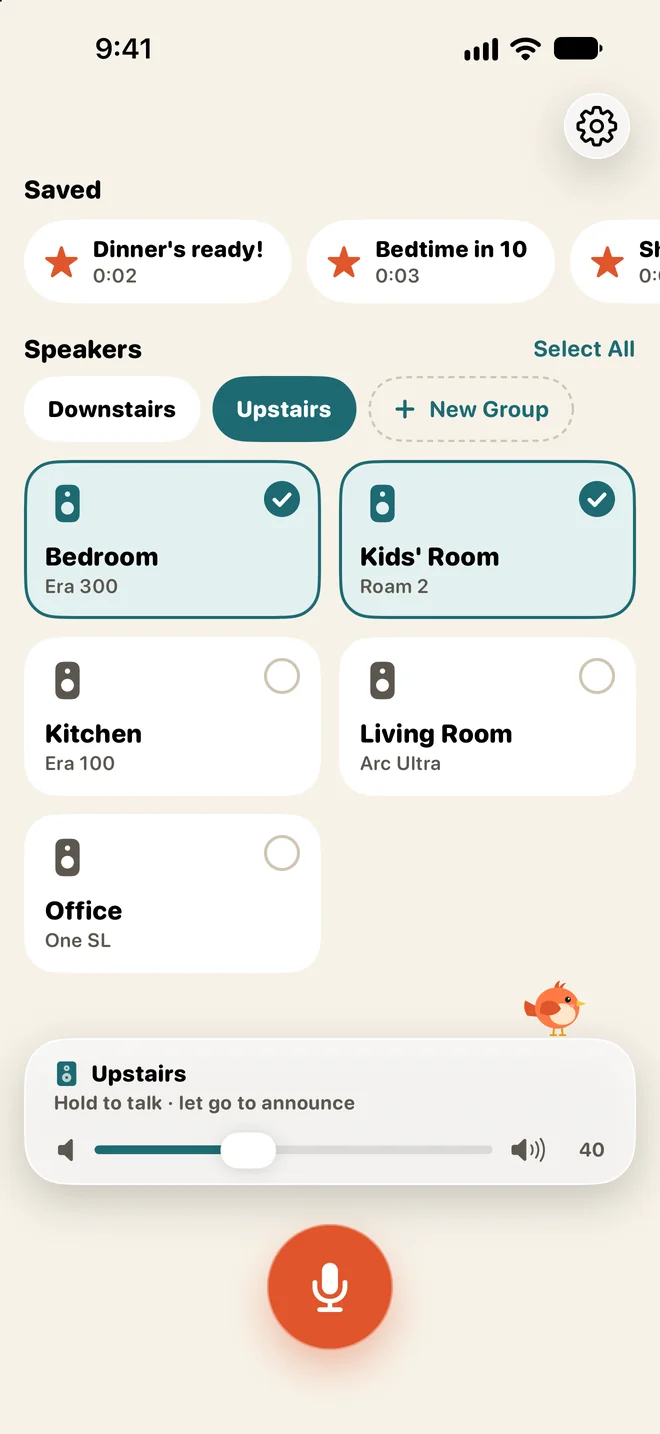
Tap the rooms that should hear you, or a group like Upstairs. The card above the mic shows who will hear you.
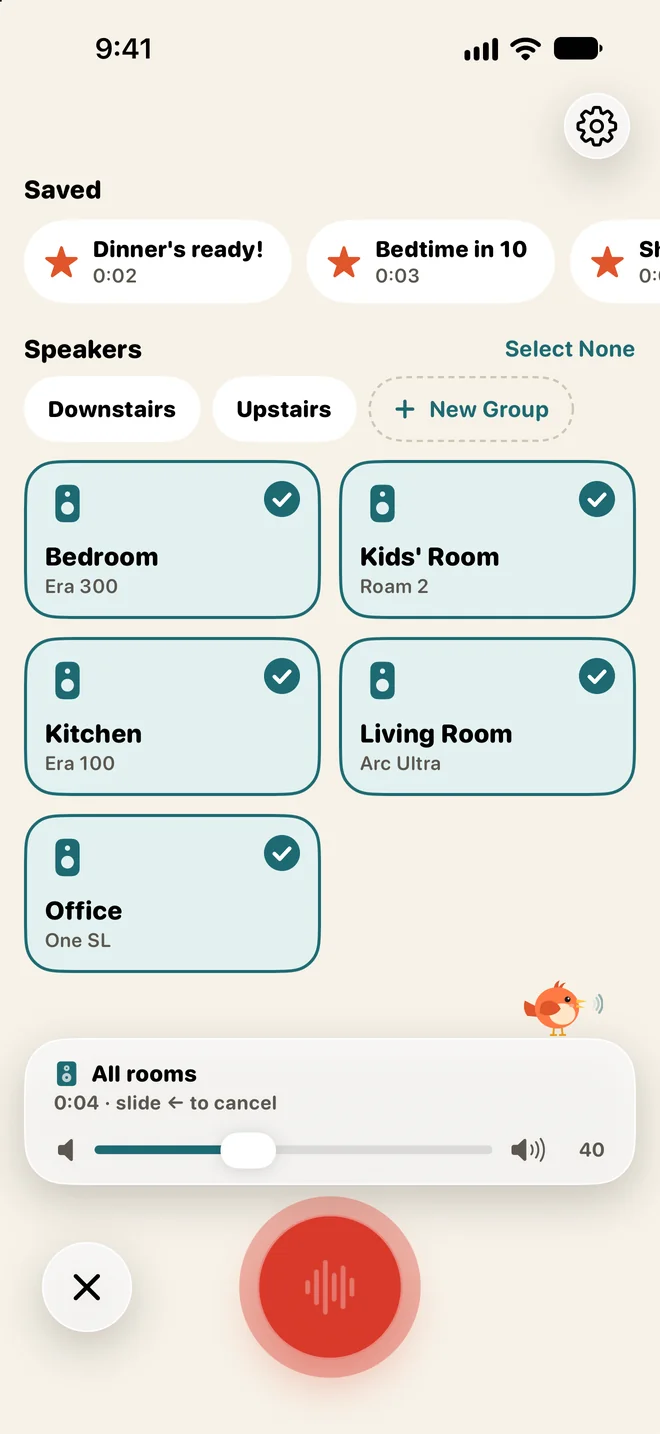
Let go when you’re done. If you’d rather tap, switch to tap to talk, or record first and listen back before it goes out.
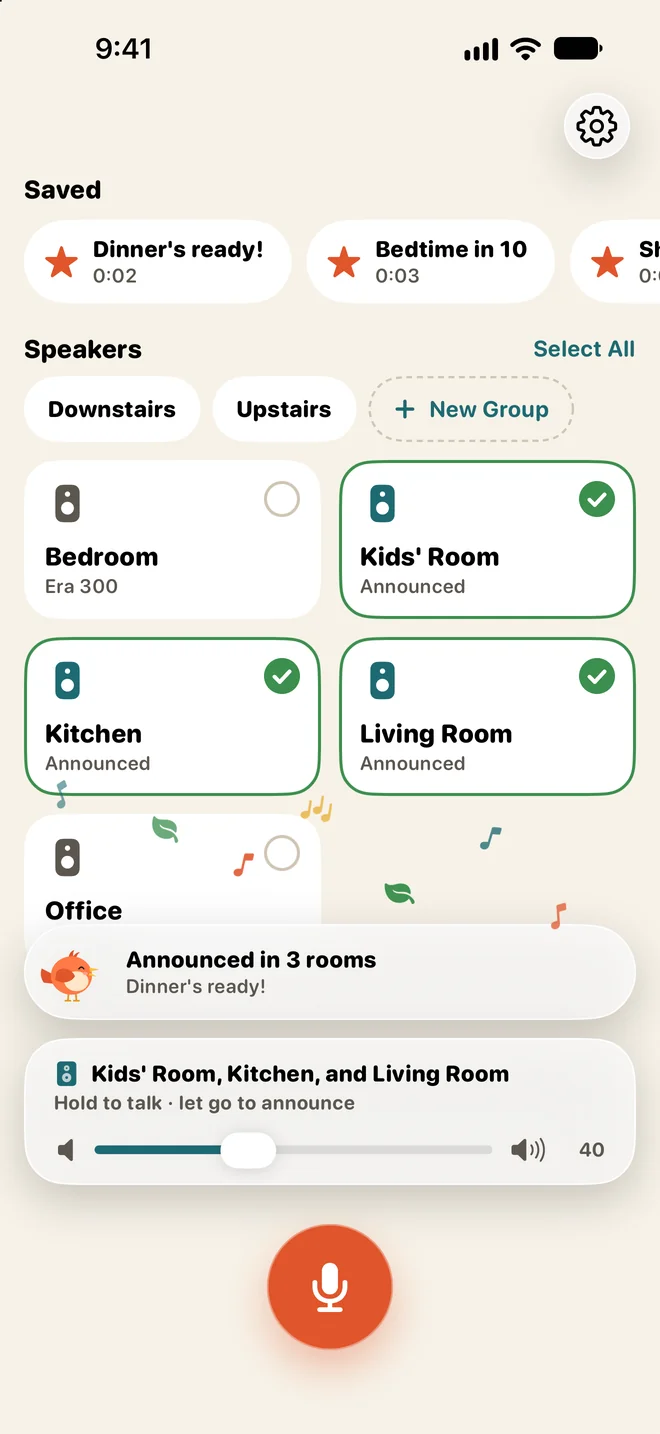
First a bird call, then your voice, in all of them at once. On Sonos the music dips while you talk and comes back by itself.
Sannounce plays your announcement even when the room is playing music. What happens to the music depends on the speaker.
Turns the music down while you talk and brings it back up by itself.
Should pause the music, play your message and pick up where it left off. It hasn’t been tried on real S1 speakers yet.
What was playing stops for the announcement, and Sannounce tells you what stopped, so you can start it again. In testing now on a Chromecast and a speaker with Google Cast built in, not yet on Google Nest speakers.
Music playing where you are is filtered out of your recording.
Save the rooms you call together as a group and pick them all with one tap. The card above the mic shows who will hear you, with the volume right there for bedtime.
Press it and Sannounce opens and listens. Say “Bedtime in ten minutes!” and stop talking, and it goes out by itself. It works from Control Center, the Lock Screen and Siri too.
Save the ones you repeat and play them again with one tap, or say “Play Dinner’s ready with Sannounce” to Siri. A Shortcuts automation can play one every weekday at 7:45, in the background, without opening the app. See all the automations.
Sannounce talks straight to your speakers over your Wi-Fi. There’s no account to make, and your recording never leaves your home network.
Turn on a voice effect and your announcements come out as a squeaky chipmunk or a deep, booming voice. Fair warning, once the kids hear the chipmunk they’ll want it on everything.
Tap to hear “Dinner’s ready!”
Every announcement starts with one, so everyone knows to listen.
Prefer something softer? Pick a tone instead.
Yes. The Sonos app has no intercom of its own, but Sannounce adds one: talk into your iPhone or iPad, and your voice plays on the Sonos speakers you picked.
No. Sannounce records your voice on your iPhone or iPad, so it works on speakers without a microphone or voice assistant of their own.
Yes, from version 1.1, which is in testing now. Sannounce will then play announcements on Google Nest speakers, Chromecasts and other speakers with Google Cast built in, next to your Sonos speakers. On a Chromecast, you hear it through the TV. Unlike on Sonos, the music doesn’t come back afterwards: whatever was playing stops for the announcement, so start it again in the app you played it from.
No. Your iPhone or iPad has to be on the same Wi-Fi as your speakers, because they fetch the recording straight from it. Nothing goes over the internet.
Yes. Sannounce runs on iPhone and iPad with iOS 26 and on Macs with Apple silicon, as long as they’re on the same Wi-Fi as your speakers.
Yes. Save the announcement in Sannounce, then make a personal automation in the Shortcuts app that runs Play Saved Announcement, for example every weekday at 7:45 or when you get home. It plays without opening the app, as long as your iPhone is on the same Wi-Fi as your speakers. See the guide.
Yes, with iOS 27. A Shortcuts automation on your iPhone can run Play Saved Announcement when the Home app notifies you that a door was unlocked or a sensor noticed someone. Here’s how to set it up.
You need Sonos speakers on your home Wi-Fi and an iPhone or iPad with iOS 26. It also runs on Macs with Apple silicon, and it’s free.
Sannounce is tested with Sonos S2 systems. It should also work with S1, but that hasn’t been tested yet. Google Cast speakers and Chromecast are coming in version 1.1, which is in testing now.